The rest runs itself. Sign in with your phone number, add the people you look after and scan the barcode on the medication box; reminders go out automatically.
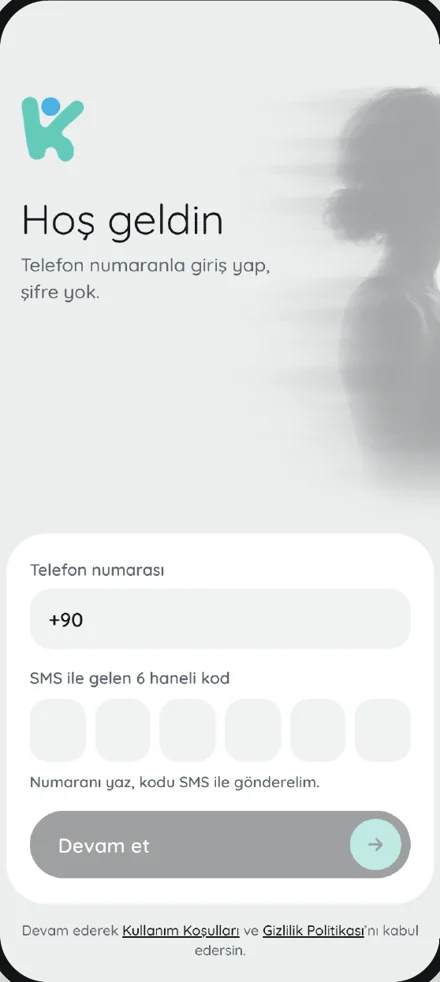
You sign in with an SMS code; there’s no password. Health data is a special category of personal data, so nothing goes ahead without your explicit consent.
The privacy notice and health data consent are required; marketing consent is optional.
You start on the Free plan and can switch to the Family plan later.
Step 2
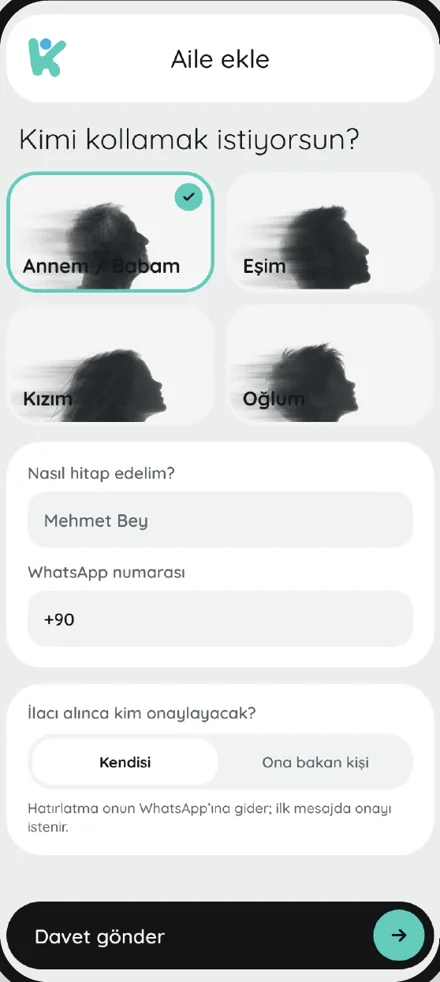
Add the people you look after.
My dad, my partner, my daughter, my son. For each one, you choose who confirms: the person themselves, or whoever looks after them?
Grandpa confirms his own medication on WhatsApp by tapping “Taken”.
Mom, Dad or the nanny confirms the child’s medication.
People with the app get an invite link; people without it get a WhatsApp consent message.
Step 3
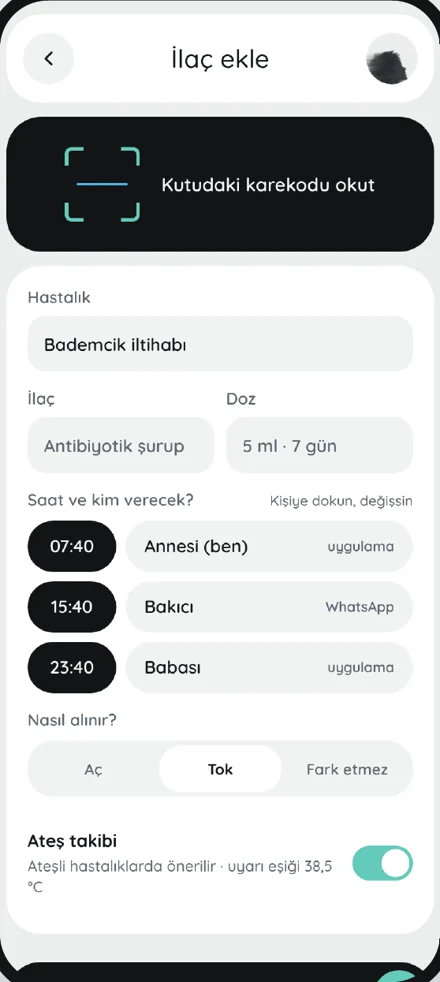
Add medications by barcode.
Scan the barcode on the box or type the name. Choose the times and who gives each dose.
A different person for each dose time: 07:40 Mom, 15:40 the nanny, 23:40 Dad.
When a 7-day antibiotic course ends, the medication closes automatically.
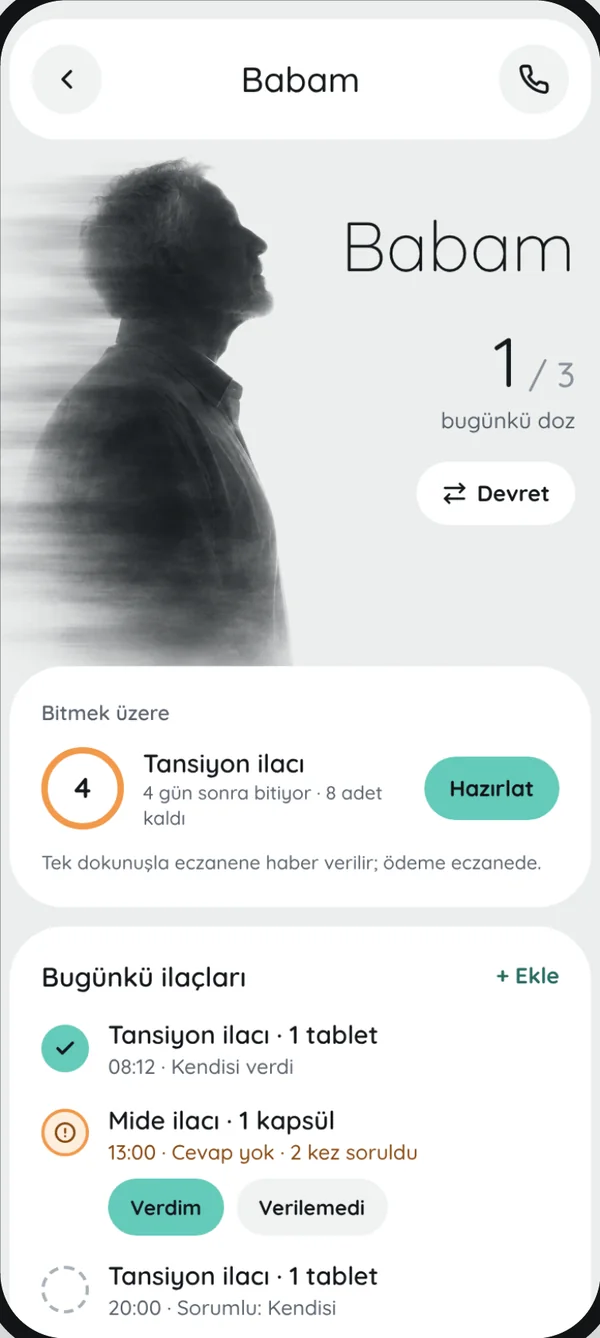
The box count drops with every “Given”, and you’re warned 5 days before it runs out.
Step 4
Reminders go out automatically.
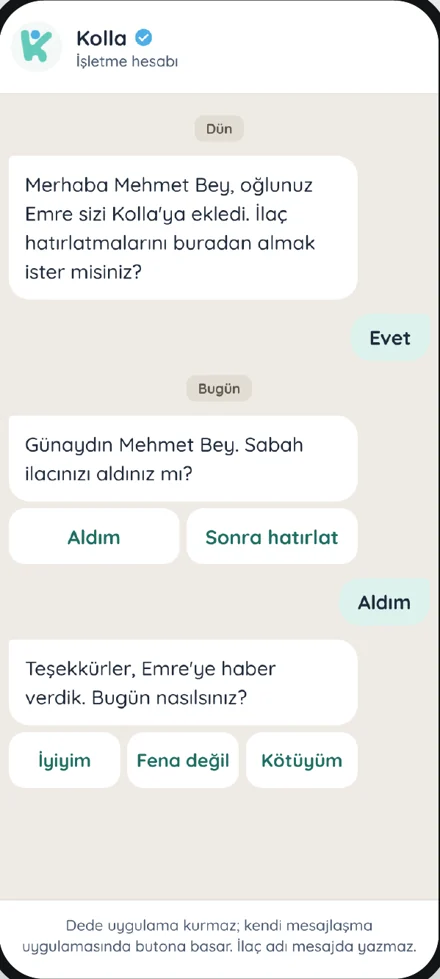
Notifications in the app, WhatsApp for anyone without it. The message never names the medication: “Have you taken your morning medication?”
The first message asks for permission; no reminders are sent until they say “Yes”.
After “Taken”, they’re asked “How are you feeling today?”, with one-tap answers.
Step 5
Follow along on the dashboard.
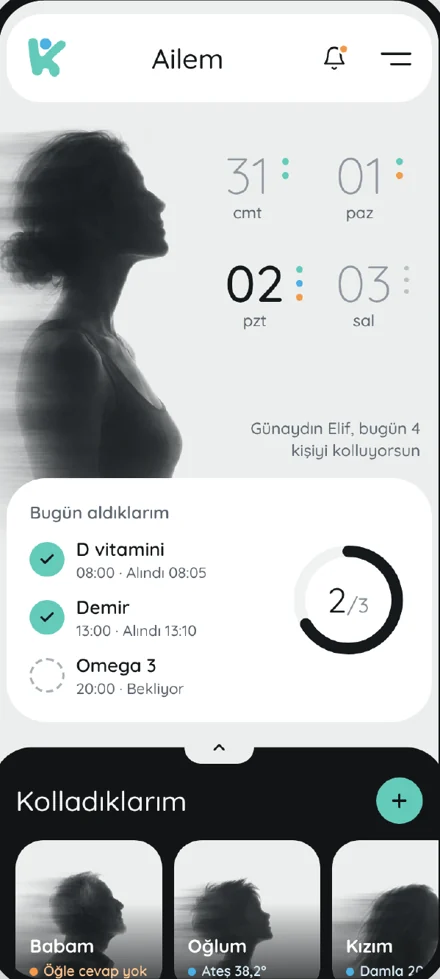
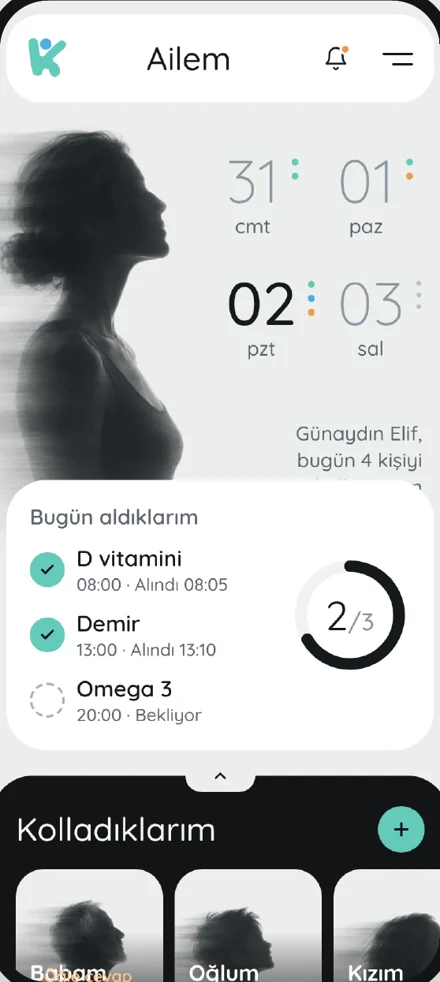
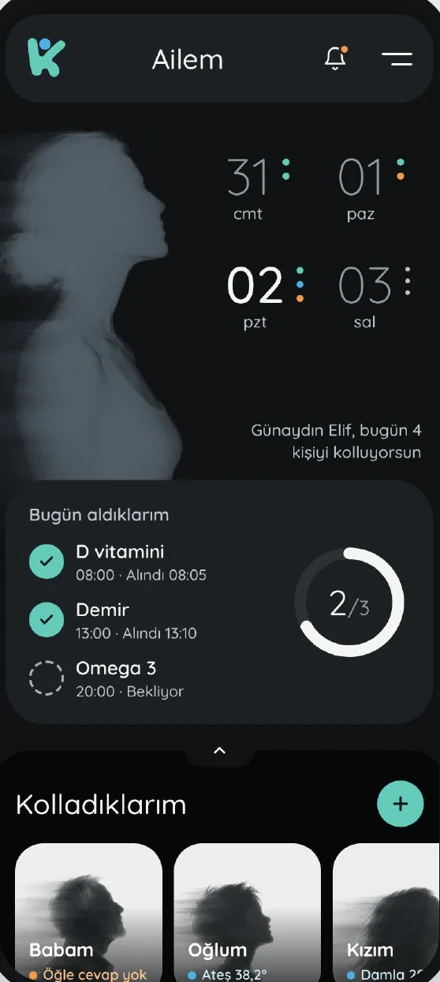
Your own day at the top, the people you look after below. One status line per card: “Fever 38.9”, “All taken”.
Green means given, blue means up next, orange means attention: a missed dose or a fever.
An orange dot on the bell means an unread urgent alert.
Fever and illness
You set the threshold.
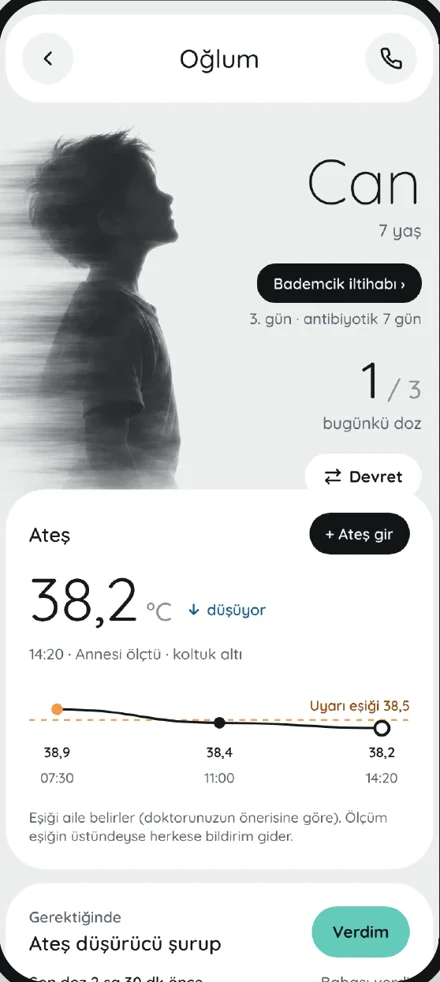
Temperatures are entered in 0.1° steps, with where they were taken and who took them. When the threshold is crossed, everyone gets an urgent alert.
For as-needed medications like fever reducers, there’s an “at least 6 hours” timer that warns you if someone tries to give a dose too early.
A second “Given” for the same dose is blocked, and you see who gave it.
Couldn’t give
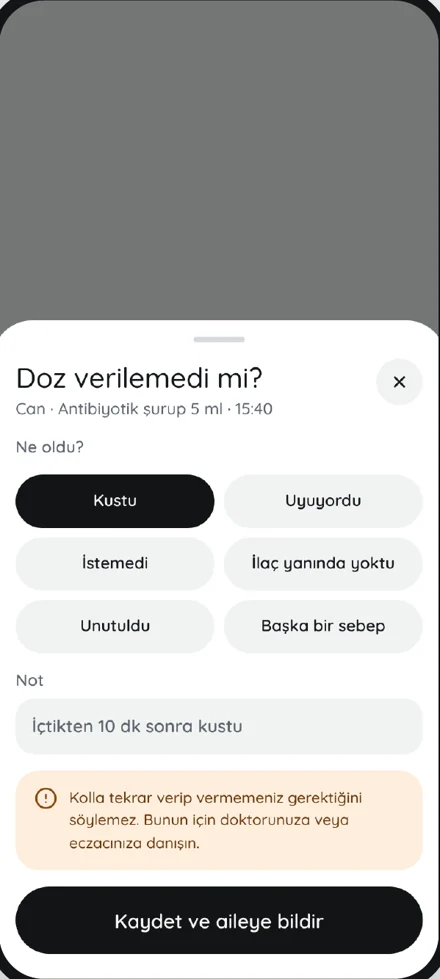
Doses not given get logged too.
Threw up, was asleep, refused, the medication wasn’t on hand: the reason is logged and the family is informed.
Kolla never says “give it again” or “don’t give it”; it reminds you to check with your doctor or pharmacist.
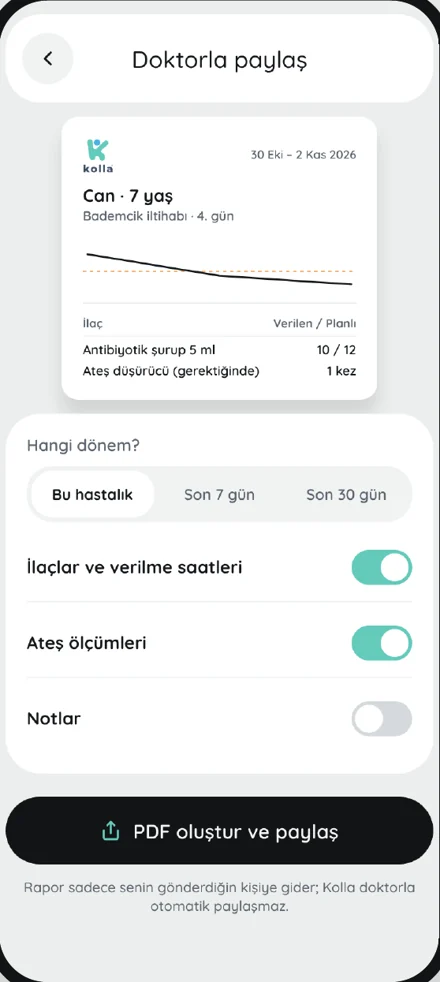
In the doctor report, these show up as “doses not given”.
Handover
At another home, still on your radar.
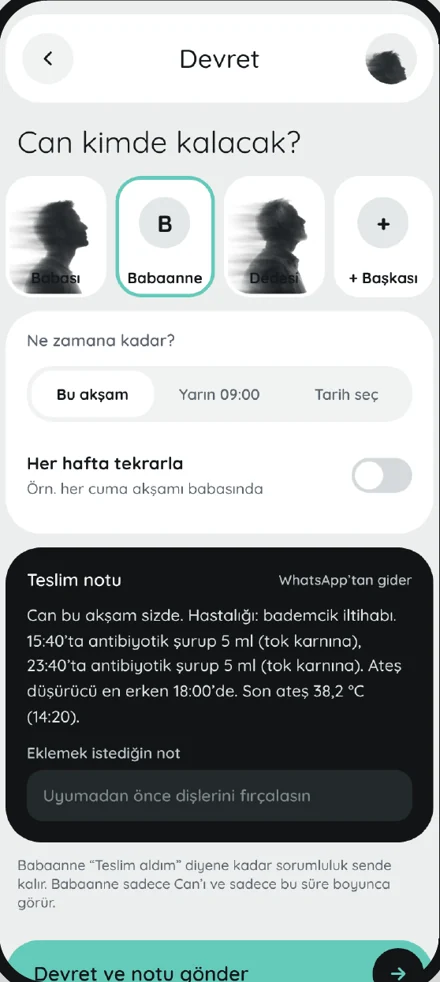
Tap “Hand over”: the illness, the next dose and its time, the last temperature and your note go into the handover note automatically.
Even without the app, Grandma gets the note and reminders on WhatsApp.
For parents who live apart, there’s a weekly repeat: every Friday 18:00 to Sunday 18:00.
Before it runs out
Kolla warns you before it runs out.
The box count goes down with every dose given, and you’re warned 5 days before it runs out.
Sharing
Ready for the check-up.
“How long has the fever lasted, and what have you given?” The medications, fever chart and notes for the period you choose are shared as a PDF.
The report link is short-lived and signed.
Emergency card: weight, blood type, allergies, current medications and emergency contacts.
03:00setup started
No reply? The family knows.
Kolla asks twice more, 15 minutes apart. If there’s still no reply, the dose counts as missed and the people you’ve chosen get an urgent alert. Pick Grandpa’s answer and see how the morning plays out.
08:00Dose time
WhatsApp to Grandpa: “Have you taken your morning medication?”
08:1208:15“Taken”Second reminder
Grandpa answered with one tap in his own WhatsApp.
No reply, so the same question goes out again.
08:1308:30“I’m fine”Final reminder
You’ll see “Dad: taken 08:12 · I’m fine” on your dashboard.
Asked a third and final time.
08:1508:31Not asked againUrgent alert to the family
All good; no urgent alert goes out.
The dose counts as missed; Elif and her husband get an alert: “Dad didn’t answer his morning reminder.”
The family decides how many times to ask and who gets alerted. During quiet hours (23:00–07:00), only urgent alerts come through.
At night, and in large text too.
One tap makes all text about 18% bigger, for older parents who use the app themselves. Dark mode is easy on the eyes during night-time temperature checks and follows your phone’s setting.